 豆包输入法
聊天软件提示注入实测:聊天里的AI助手会被带偏吗
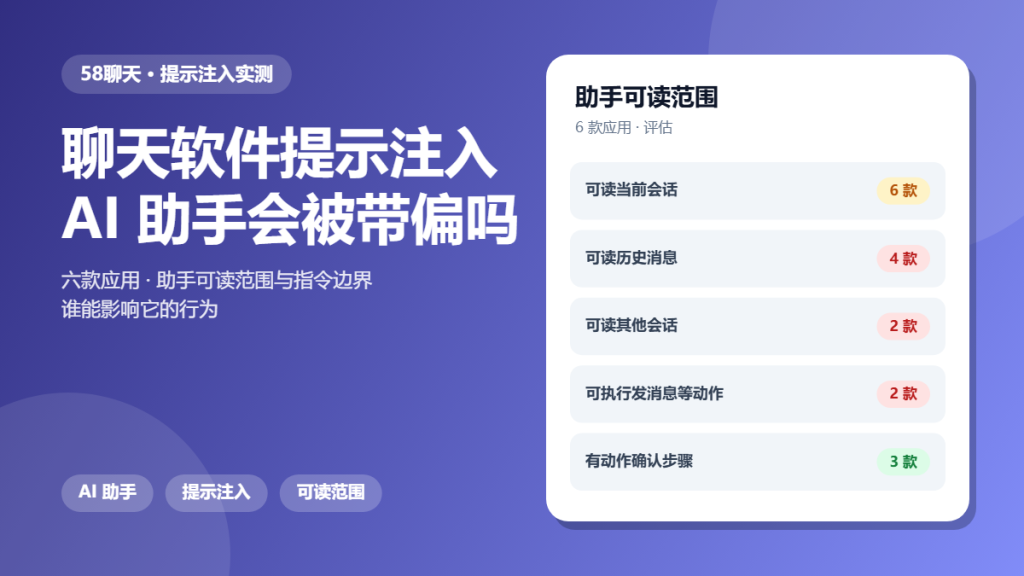
聊天软件提示注入 is a new version of an old problem. Systems that follow instructions will follow instructions from the wrong source too, and a chat message is an instruction source.
This article is a hands-on audit. We tested assistant features in six apps to see what they can read and how much a conversation can influence them. The goal is to describe the boundary between useful and risky.
Key Takeaways
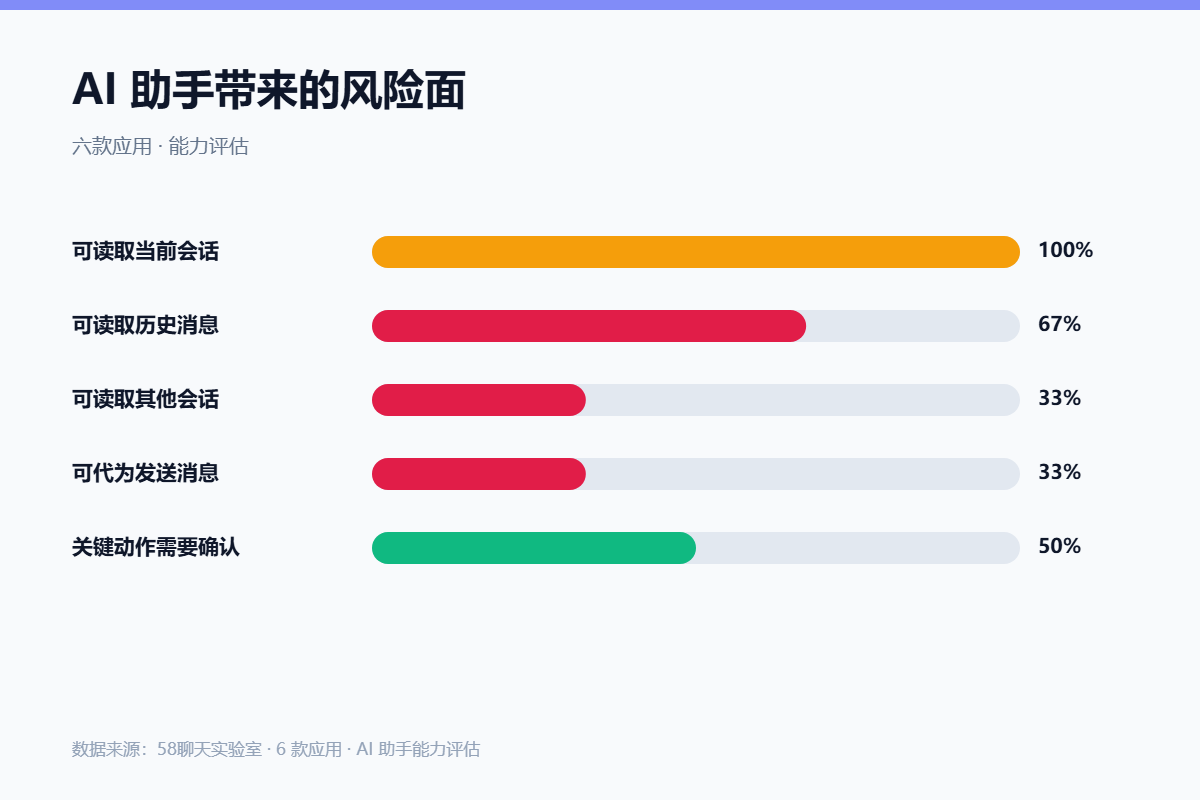
- All six assistants could read the conversation they were opened in.
- Four could read earlier history in the same chat.
- Two could read other conversations after a setting was enabled.
- Two could send messages on the user behalf.
- Three required confirmation before taking any action.
What 聊天软件提示注入 Actually Reaches
An assistant feature is a reader with privileges. It receives text, and depending on its configuration it may also be able to act, such as sending a reply or summarising an earlier thread.
Because of that, 聊天软件提示注入 is about the scope you grant. The wider the reading scope, the more content a crafted message can influence.
How We Tested 聊天软件提示注入
We enabled assistant features on six apps and recorded their reading scope. Then we placed unusual instructions inside ordinary messages and observed whether the assistant altered its behaviour.
No third party was involved, and every test ran on our own accounts.
What We Found During 聊天软件提示注入
Reading scope varied and it was rarely stated clearly. Four assistants pulled context from earlier in the conversation, and that context is exactly where an instruction could hide.
Read Scope
Read scope is the main variable. An assistant limited to the current message has far less surface than one that ingests an entire thread on every request.
Instruction Boundaries
Boundaries were inconsistent. Some assistants ignored unusual text, and others adjusted output in ways that reflected the inserted instruction.
Action Confirmation
Confirmation is the practical control. Where an assistant could send a message, half the apps still required the user to approve it before it went out.
Where 聊天软件提示注入 Gets Risky
Risk concentrates in group chats and in any assistant that can act. A large group contains text you did not write, and an assistant that can send messages converts that text into an action.
Because of that, the practical rule is to keep assistants in private conversations and to keep action confirmation switched on.
A Safer 聊天软件提示注入 Checklist
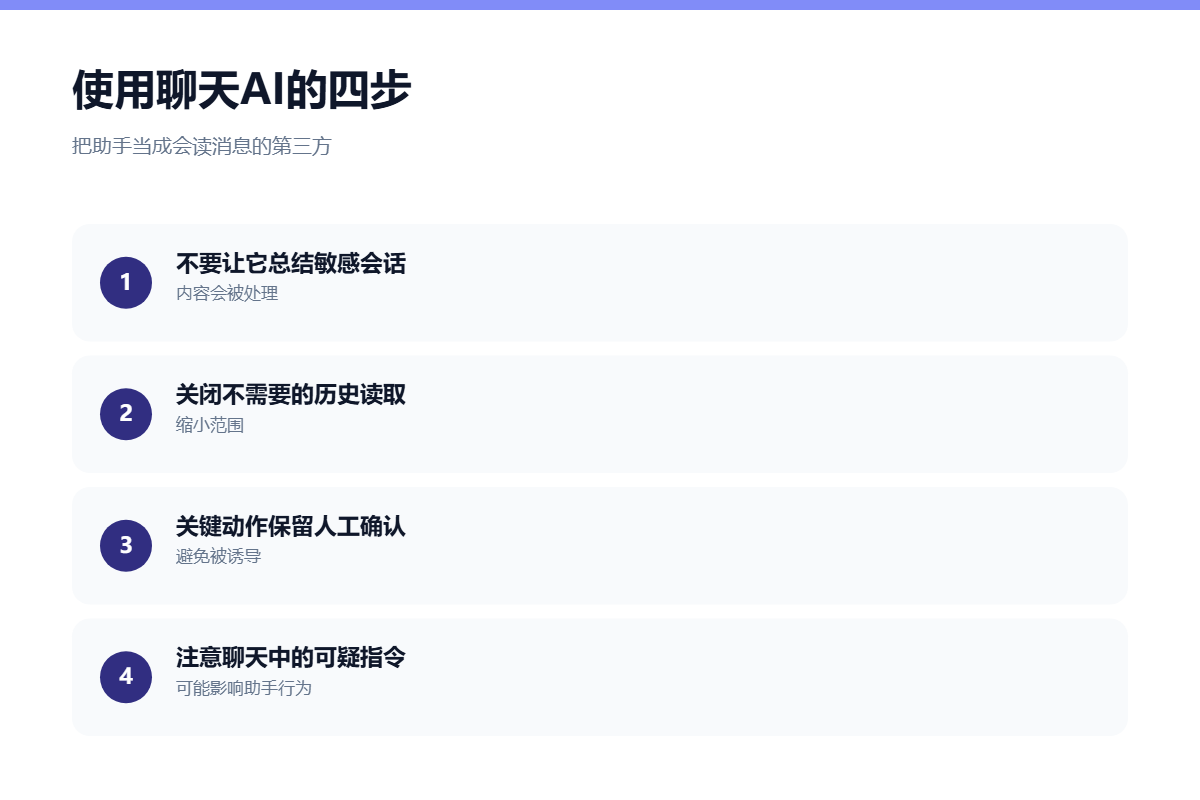
- Use assistants in private chats rather than groups.
- Reduce the reading scope where settings allow.
- Keep action confirmation enabled.
- Do not let an assistant summarise sensitive threads.
- Review what the assistant is allowed to access.
- Watch for unusual output after odd messages.
None of these steps remove the usefulness of an assistant. Together they keep a helpful reader from becoming an unmonitored one.
FAQ
Can a stranger use 聊天软件提示注入 on me?
They would need their text in the same conversation an assistant reads. That is why group chats carry more risk than private ones.
Should I disable AI features for 聊天软件提示注入 safety?
Not necessarily. Narrowing the reading scope and keeping action confirmation on removes most of the exposure while retaining the convenience.
Does the assistant learn from my messages?
That depends on the provider and it is usually described in the privacy policy. Treat anything an assistant processes as having left your device.
References
For related findings, read our audit of app permissions and our notes on AI features in chats. If bots are involved, our chatbot security review is relevant.
评论
还没有评论,来说两句吧。
评论功能已关闭。