 豆包输入法
聊天软件屏幕共享实测:共享三分钟到底泄露了多少
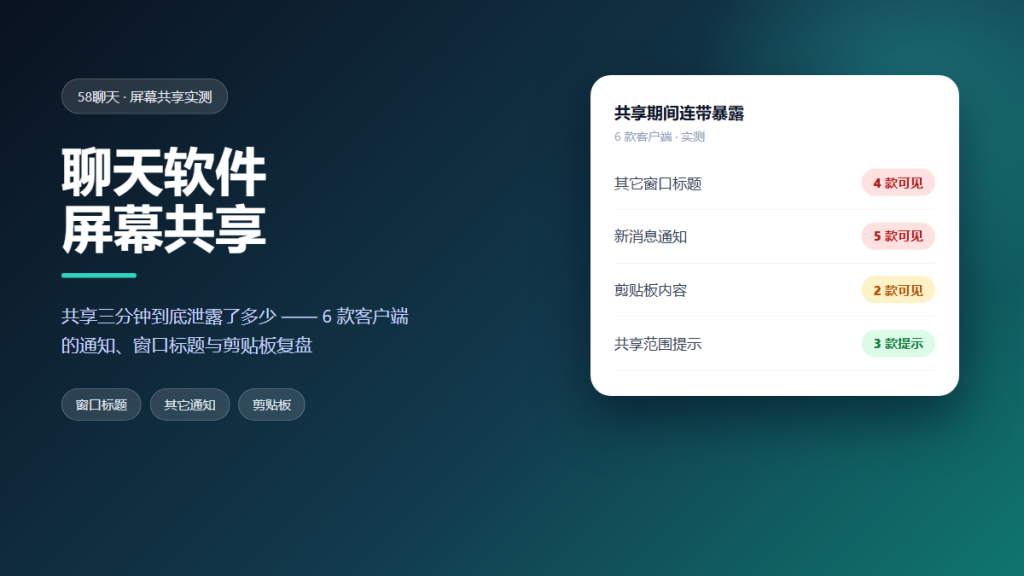
聊天软件屏幕共享 feels harmless. You click one button, pick a window, and talk through a file. Yet in that moment you hand another person a live view of your desktop. Whatever is on screen goes with it. Most of the time nothing goes wrong. However, when it does go wrong, the leak is instant and it cannot be undone.
This article is a hands-on audit. We shared a screen on six clients for exactly three minutes each, once with a clean desktop and once with a busy one. Meanwhile, a second account recorded what the viewer could see. The goal is not to stop you from using 聊天软件屏幕共享. Instead, the goal is to show you what a few careless seconds can expose.
Key Takeaways
- Three minutes of sharing leaked notifications on five of six clients.
- Browser tabs, open file names and desktop icons all appeared in the video.
- Sharing a single window is far safer than sharing the whole screen.
- Turning on do not disturb before you start removes most of the risk.
- Screen sharing is usually encrypted, but the leak is human, not cryptographic.
What 聊天软件屏幕共享 Actually Exposes
People plan for the document they want to show. They rarely plan for everything else on the same display. A shared screen carries four kinds of information at once: the content you meant to show, the content you forgot was open, system notifications, and the metadata of your files and windows.
Because of that, the risk is not the video stream itself. The stream is normally protected end to end. Instead, the risk is what the stream happens to contain while you are not looking at it.
How We Tested 聊天软件屏幕共享 on Six Clients
We tested six Android and desktop clients over one week. For each session we used a second account as the viewer and recorded the incoming video locally. Each share lasted three minutes and followed the same script.
In the first run, we opened a clean desktop with a single document. In the second run, we opened a busy desktop on purpose. That busy desktop had new chat messages, an email client, three browser tabs and a folder of client files. In addition, we kept system notifications enabled, which is the default.
What Leaked During 聊天软件屏幕共享
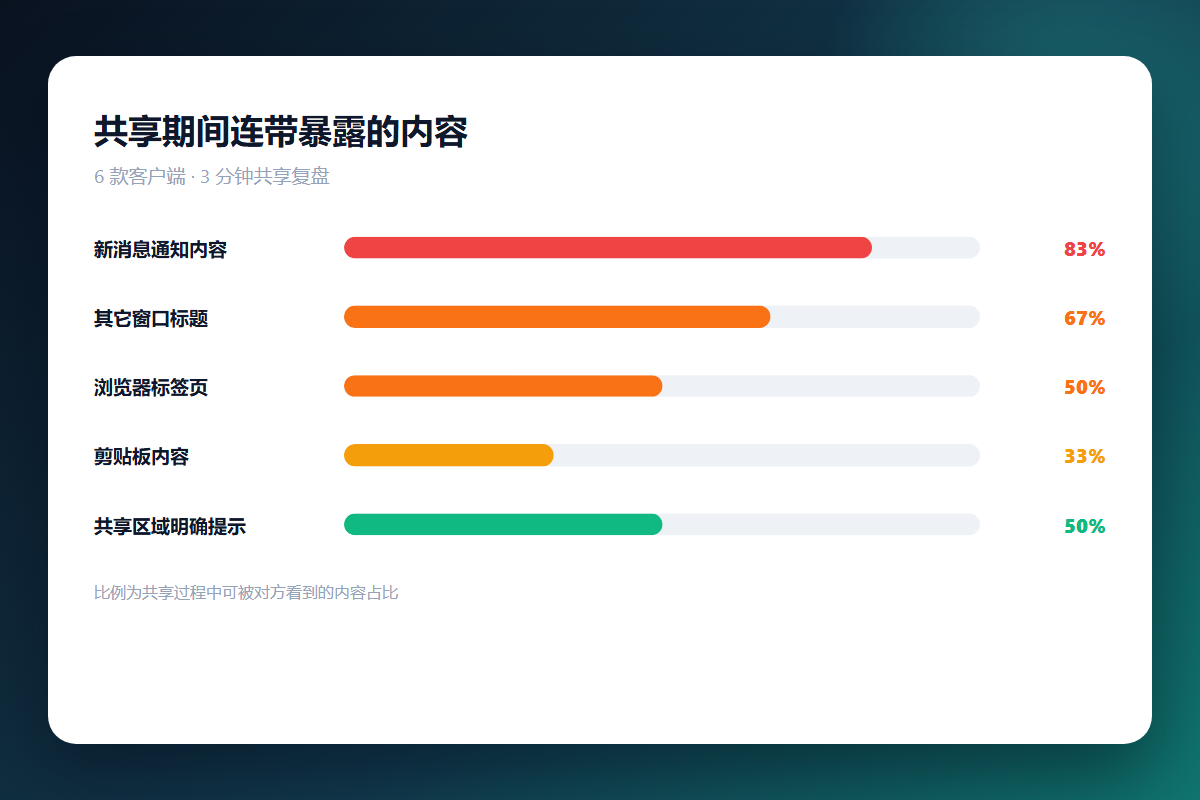
The clean run was uneventful. The busy run was not. In five of six clients, at least one notification popped up and was captured in the recording.
Notifications
A notification banner is small, but it carries a sender name, a message preview and sometimes a group title. Five clients showed the banner on the shared screen. Two of them showed it for the full display time, which is long enough to read twice.
Tabs and Toolbars
Browser tabs are a quiet inventory of what you were doing. In our busy run, the viewer could read the titles of three unrelated tabs. None of them were secrets, yet together they revealed a project the participant had not mentioned.
File Names and Paths
Opening a file dialog exposed a folder tree with client names and project codes. This is the leak people underestimate most, because a file name often tells the whole story without opening anything.
Where 聊天软件屏幕共享 Gets Risky
Risk grows with three factors: how much of the screen you share, how long you share it, and how many notifications are allowed through. A whole-screen share for an hour with notifications on is the worst combination. A single-window share for a minute with notifications off is close to harmless.
Interestingly, the client mattered less than we expected. Every app we tested could share a single window. Therefore, the safest setting was available everywhere, and it was simply not the default.
A Safer 聊天软件屏幕共享 Checklist
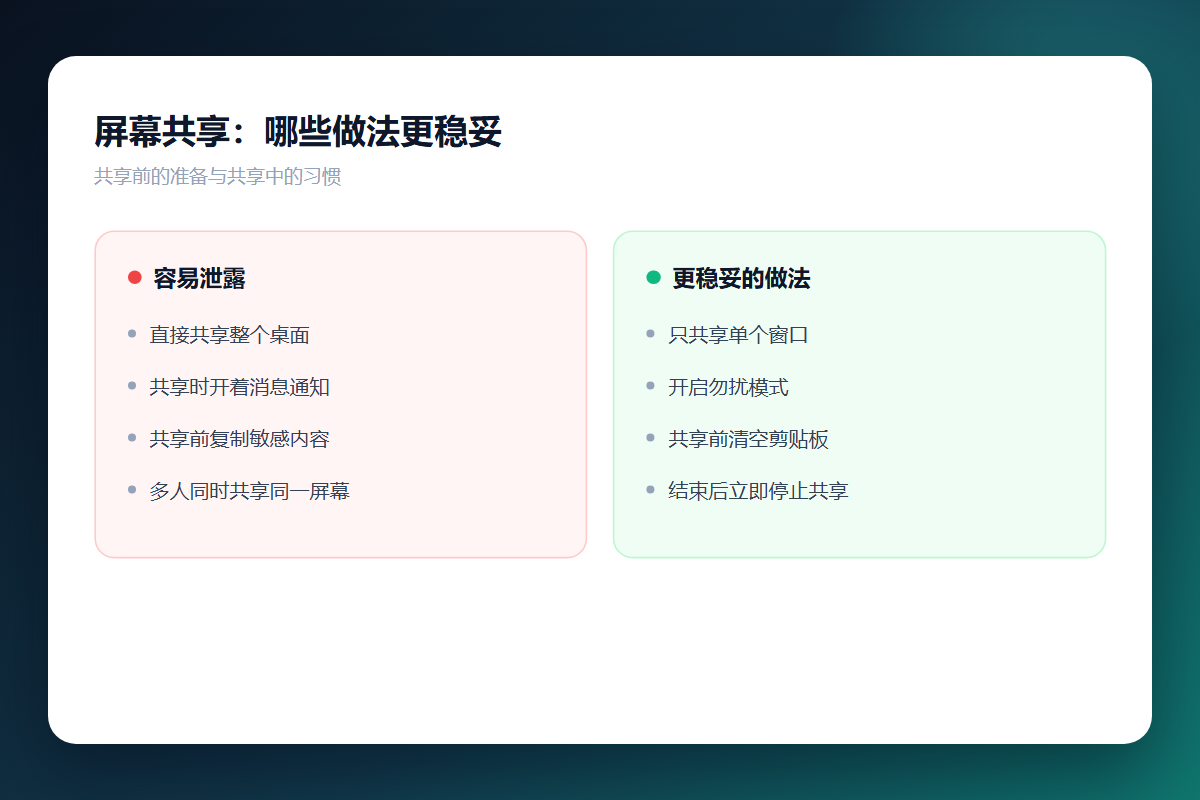
- Share one window instead of your entire screen.
- Turn on do not disturb before the share starts.
- Close unrelated tabs and document windows.
- Hide desktop icons and any folders with client names.
- Stop sharing the moment the document is no longer the topic.
- Ask the other side not to record.
None of these steps take more than a minute. Together, however, they remove almost every leak we found.
FAQ
Does 聊天软件屏幕共享 record my screen?
It can. The app may not record by default, but the other side can capture the stream with a screen recorder. You usually have no way to detect it, so treat every share as potentially recorded.
Can I hide notifications while sharing?
Yes. Enable do not disturb, focus mode or silent mode before you start. In our tests, this single step removed the most common leak across all six clients.
Is 聊天软件屏幕共享 encrypted?
The stream is normally end-to-end or transport encrypted, so a network observer cannot watch it. That protects the channel. It does not protect you from what is on the screen.
Should I share my whole screen or one window?
Share one window whenever possible. It limits the visible area to the content you chose, and it keeps notifications and unrelated tabs out of the frame.
References
For related findings, read our audit of notification leaks and our notes on screenshot watermarks. If your workplace records calls, our enterprise monitoring review is worth a look.
延伸阅读
延伸阅读:《聊天软件投屏隐私实测:电视上会显示多少》。
延伸阅读:《聊天软件远程协助实测:让别人控制你的手机有多危险》。
延伸阅读:《聊天软件语音房间实测:进房之后麦克风一直在开吗》。
延伸阅读:《聊天软件群直播实测:开直播时房间里谁在看》。
评论
还没有评论,来说两句吧。
评论功能已关闭。