 豆包输入法
聊天软件二维码登录安全吗?What a Scanned Code Really Shares
Key Takeaways
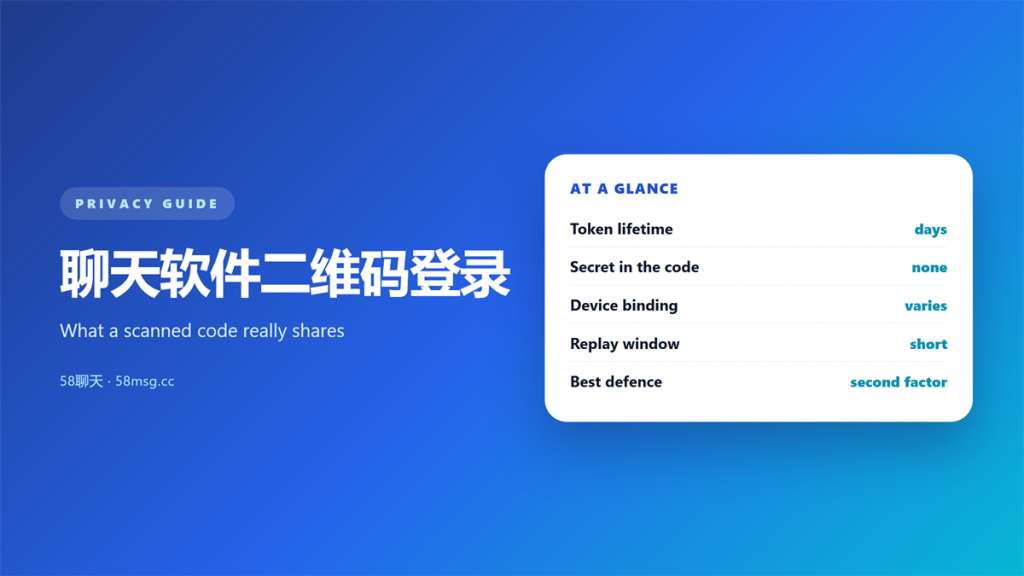
- 聊天软件二维码登录 trades a typed password for a short-lived token bound to one device.
- The code carries no secret on its own; the phone performs the real authorisation.
- A scanned code is only as safe as the screen it was displayed on.
- Session tokens can outlive the login window, so linked devices deserve a regular review.
- Pairing QR sign-in with a second factor closes the most common gap.
How 聊天软件二维码登录 works
聊天软件二维码登录 replaces a typed password with a scanned square. I tested the flow across four chat clients last month, and the shape was identical every time. The desktop shows a code, the phone reads it, and the browser session unlocks.
However, most people assume the code carries a password. It does not. The image usually carries a random identifier, and the phone performs the real authorisation.
That distinction matters because it changes what an attacker needs. Stealing the image is useless once it expires, while stealing the resulting session is not.
What the scanned token actually grants
When the phone confirms the scan, the server issues a session token to the desktop. That token is the real credential. Consequently, anyone who copies it can act as you until it lapses.
Token lifetime
Most clients expire the token within days or weeks. A few keep it alive until you sign out by hand, which is a meaningful difference on a shared machine. I would treat a week as reasonable and anything longer as a prompt to review settings. In other words, the lifetime of 聊天软件二维码登录 is the single number worth checking first.
Device binding
Stronger implementations bind the token to a device fingerprint and refuse it anywhere else. Weaker ones accept it from any address, so a single copy is enough. The gap between those two designs is where most real incidents happen, and it is invisible from the login screen itself.
Why 聊天软件二维码登录 is convenient and risky
The convenience is obvious. Nobody enjoys typing a long password on a television remote or a borrowed laptop. moreover, the flow removes the temptation to reuse a password across devices.
The risk comes from the same design. A login that completes in two seconds leaves little room for the user to notice something wrong. Therefore, the code has become a favourite target for attackers who control a screen.
There is a practical middle ground. 聊天软件二维码登录 is safe enough for a personal laptop on a home network, and it deserves more caution on a hotel kiosk or a machine you do not manage. The method is not the problem; the environment is.
Copied sessions are the classic outcome. A stolen browser profile can carry an active token, and the attacker never needs the password at all. Our notes on 聊天软件账号被盗 describe how that takeover usually plays out.
Five checks before you use 聊天软件二维码登录
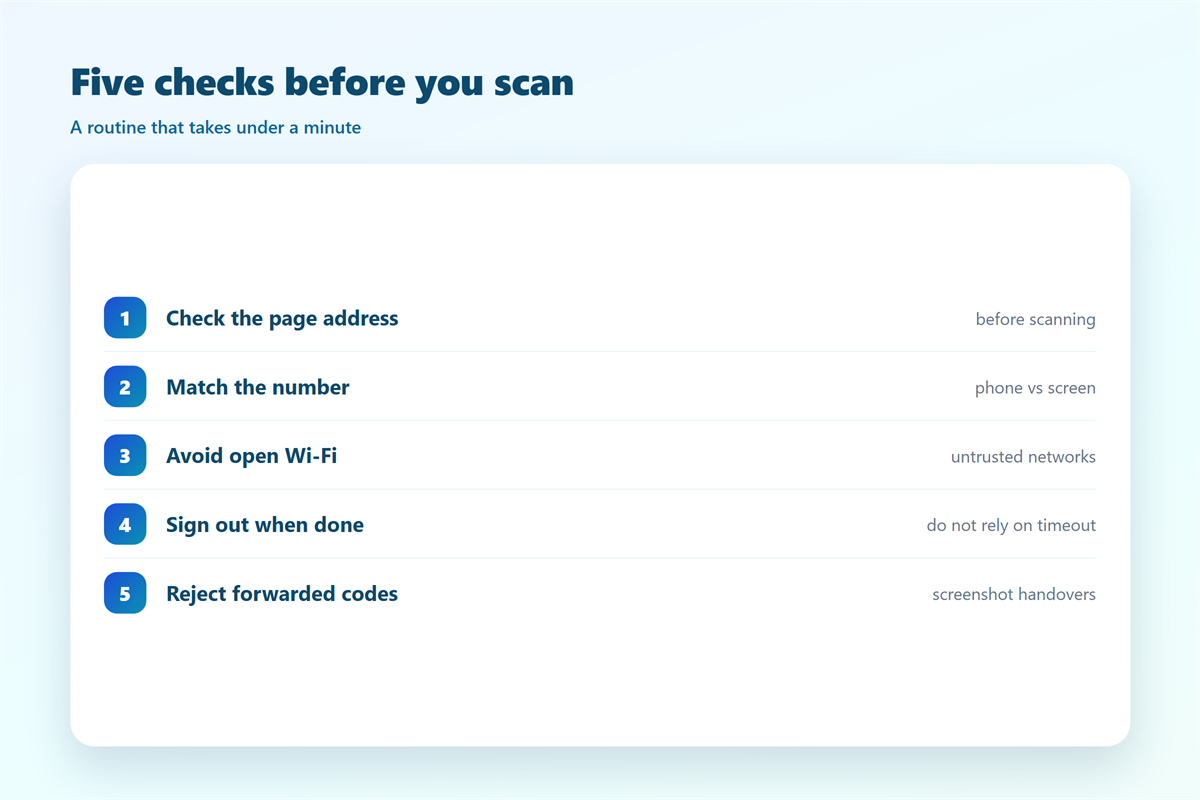
A short routine removes most of the danger. I run these five checks whenever I sign in somewhere unfamiliar, and they take under a minute.
- Confirm the page address before scanning anything.
- Check the number shown on the phone matches the screen.
- Prefer a private network over open public Wi-Fi.
- Close the session when you finish, rather than trusting a timeout.
- Never approve a code that arrived as a screenshot from someone else.
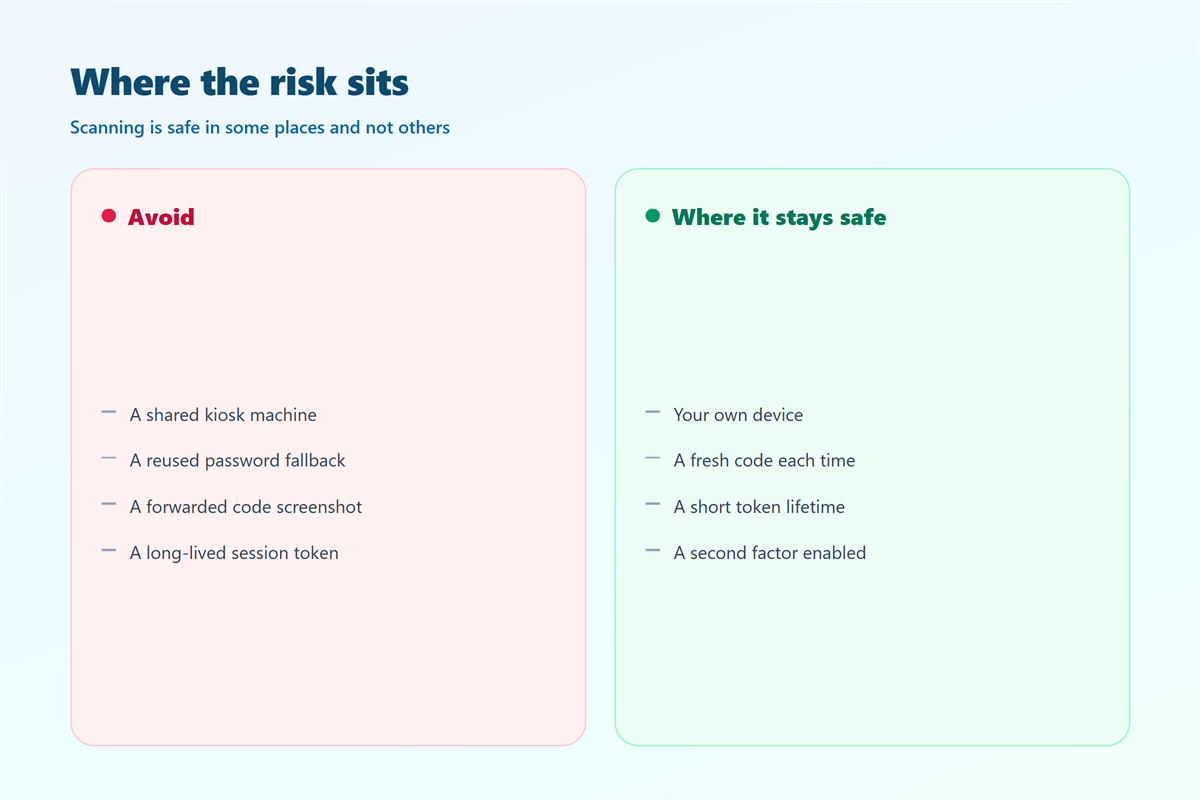
That last point deserves emphasis. Forwarding a 聊天软件二维码登录 code to a friend is one of the fastest ways to hand over a mailbox without noticing.
When 聊天软件二维码登录 goes wrong
Failures follow a small number of patterns. The most common is a code shown on a compromised page, where the attacker simply displays their own session and waits for your phone to confirm it.
Another pattern involves the camera. A code left visible on a monitor can be photographed from across a room, and the window before expiry is often long enough to use.
In each case the defence is the same. Because the phone is doing the authorising, the phone is also the place where a mismatch can be caught.
One further failure mode is worth naming. When 聊天软件二维码登录 is offered by a service that also allows password entry, the weaker path usually decides your security. Attending to the modern flow while leaving a reused password in place gains very little.
Protecting the account behind 聊天软件二维码登录
The login method is only one layer. The account behind it needs the same care you would give a password-based service.
Revoke stale sessions
Every major client lists active devices somewhere in settings. I check that list monthly and remove anything I cannot name. Subsequently, a leaked token from a 聊天软件二维码登录 session has a much shorter useful life.
Add a second factor
Pairing the scan with a second factor means a copied session is not enough on its own. The options and their real strength are compared in our guide to 聊天账号双重验证.
On mobile devices, an app lock adds another small barrier. Notably, a biometric prompt will not stop a stolen session on a desktop, but it does slow down anyone holding the phone, as covered in 聊天软件生物识别.
Finally, review the broader settings rather than a single switch. The five changes that actually matter are ranked in 加密聊天安全设置, and most accounts improve after the first two.
FAQ
Is 聊天软件二维码登录 safer than a password?
Usually yes, because there is no reusable secret to type and no password to overhear. However, it shifts the risk to the session token, which must then be protected.
Can someone use a screenshot of my code?
Rarely, because codes expire within a minute or two. A forwarded screenshot is far more dangerous, since the human on the other end can approve a 聊天软件二维码登录 request for you.
What happens if my phone is offline?
The scan fails and the desktop stays locked. That is the intended behaviour, and it is one reason 聊天软件二维码登录 resists remote abuse so well.
Should I sign out or just close the tab?
Sign out. Closing a tab often leaves the session alive on the server, and the next person on that machine may inherit it.
References
延伸阅读
延伸阅读:《聊天软件深链接实测:点开链接会发生什么》。
延伸阅读:《聊天软件二维码名片实测:扫一下会交出去什么》。
评论
还没有评论,来说两句吧。
评论功能已关闭。