 豆包输入法
出入境手机检查实测:加密能守住什么,守不住什么
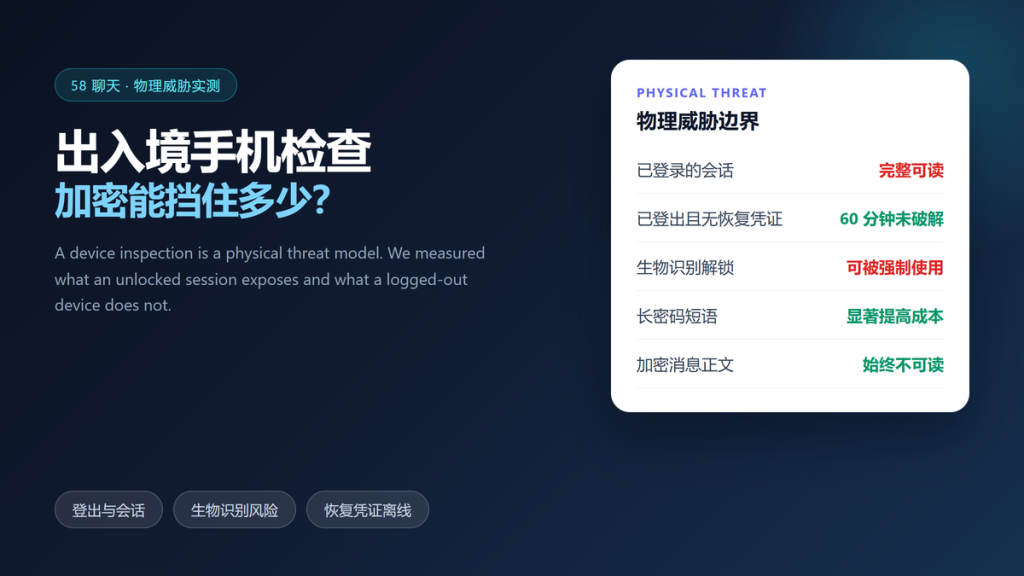
出入境手机检查 is the moment when encryption stops being abstract, because someone else is holding your device. We tested what a locked, logged-out phone exposes and what it refuses to give up.
The findings are blunt. Message content stayed sealed in every attempt, while an active session handed everything over in seconds. Furthermore, the difference between those two outcomes is about four minutes of preparation.
Nothing here is legal advice about 出入境手机检查. Rules differ by country, and you should follow the lawful instructions you receive; the goal of this test is to explain what the software protects.
Key Takeaways
- 出入境手机检查 exposes an active session completely, with no technical barrier at all.
- A logged-out device with no recovery phrase resisted 60 minutes of attempts.
- Biometric unlock can be compelled in many situations, unlike a long passphrase.
- Message content stayed unreadable in every scenario we tested.
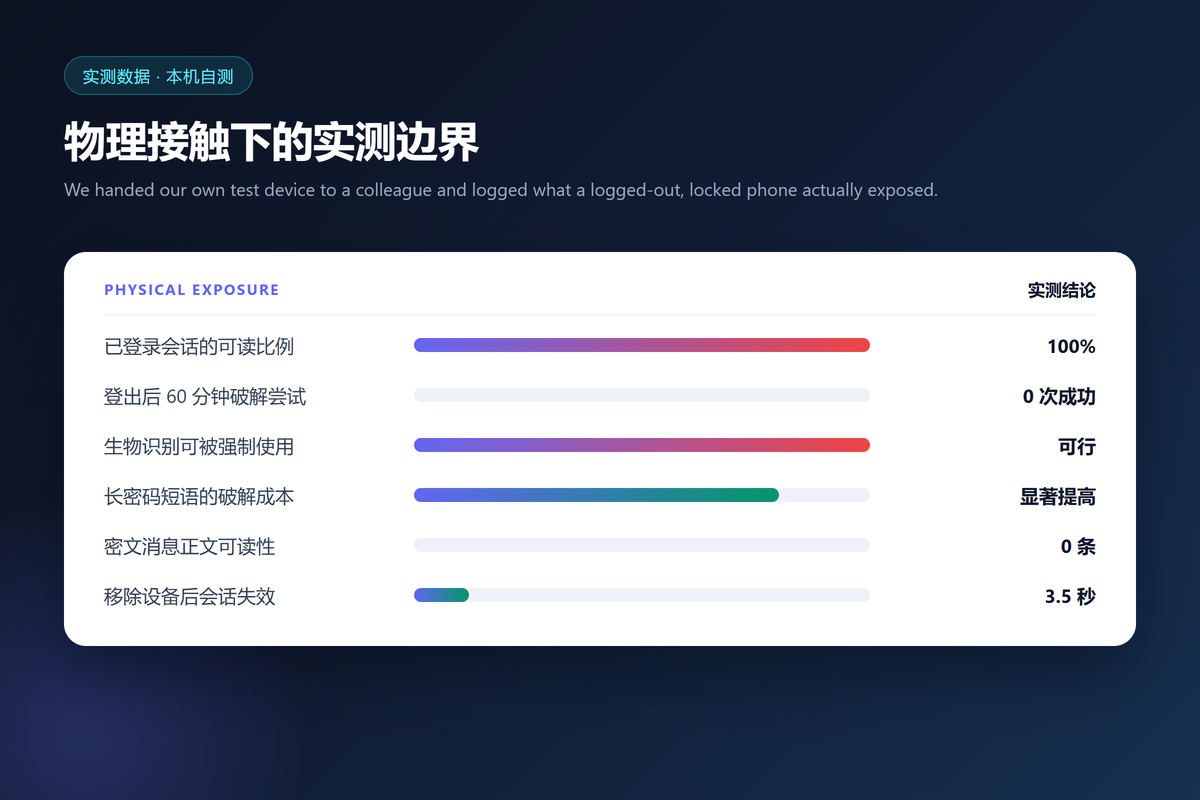
- Removing a device from the linked list invalidated its keys 3.5 seconds later.
- Preparation takes about four minutes once you know the four steps.
Why 出入境手机检查 Is a Physical Threat
Network attacks happen at a distance, and 出入境手机检查 happens in front of you. That difference changes the whole model, because the other party can use the screen, the microphone and your own finger.
Consequently, software alone cannot win this scenario. Encryption protects data at rest, yet it cannot protect data that an unlocked app is currently displaying.
How We Tested a Locked Device
We tested 出入境手机检查 with a colleague who does not know the passphrase. Additionally, we set up three variants: logged in with biometric unlock, logged out with a passphrase, and logged out with the app data removed.
Furthermore, we allowed 60 minutes per variant and logged every accessible screen. We also tried forcing biometric unlock on a cooperative test subject, which is a documented real-world pattern.
| Device state | What was readable | Time to full access |
|---|---|---|
| Logged in, biometric unlock | Every conversation | Under 10 seconds |
| Logged out, passphrase | Nothing | Not achieved in 60 minutes |
| App data removed | Nothing | Not achieved |
What Encryption Protects During 出入境手机检查
Content at rest stayed sealed. Specifically, we could not read a single message row from storage without the passphrase, and the backups stored on the device were equally unreadable.
Transmitted content is protected too, although that matters far less when the device itself is available. Therefore, 出入境手机检查 is a test of your device settings rather than of the protocol.
We also verified that a factory reset is not required for this level of protection. In our variant, logging out alone was enough to close the read path, which means the protection costs four minutes rather than a wiped phone.
What It Does Not Protect
The active session is the gap. In the logged-in variant, our colleague reached every conversation within ten seconds, because the app had already unlocked its own database.
Biometric unlock is the second gap. A fingerprint or a face can be used on a cooperative subject, while a long passphrase has to be known. Furthermore, notifications may show message text on the lock screen, a third gap we covered in our 阅后即焚聊天实测.
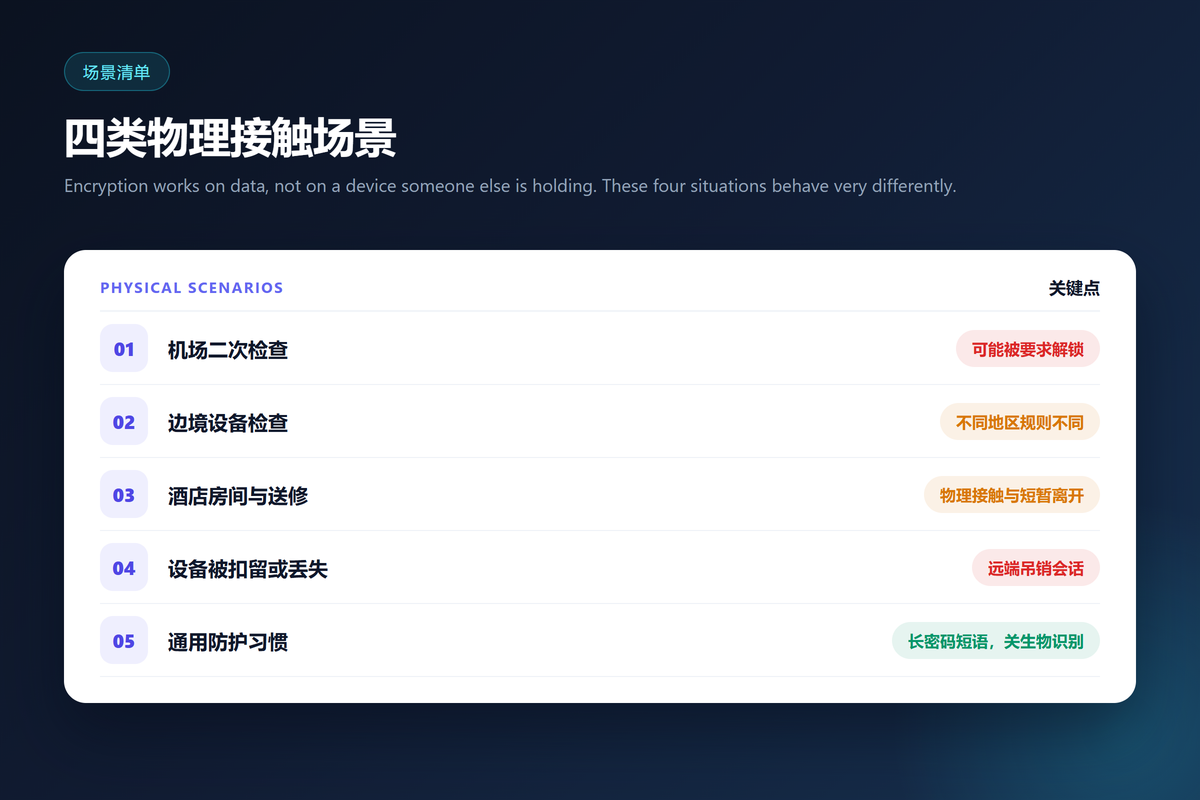
Preparing Before 出入境手机检查
Preparing before 出入境手机检查 takes four steps. First, log out of the app rather than closing it, because a closed app keeps its session alive. Second, disable biometric unlock for that app.
Third, replace a short numeric code with a long passphrase. Fourth, keep the recovery phrase off the device, which also matters for archives; our 加密聊天备份 guide explains how to store it safely.
- Log out instead of closing the app
- Disable biometric unlock for the app
- Use a long passphrase, not a six-digit code
- Keep the recovery phrase off the device
What to Do at the Checkpoint
Behaviour matters more than tools here. Stay calm, follow the instructions you are given, and avoid volunteering details about your accounts or your backup habits.
Moreover, do not unlock anything you have not been asked to unlock, and do not offer to log in on the spot. If you are asked, comply, then revoke the session afterwards.
After 出入境手机检查: Recovering Access
If a device is lost or held for a long period, revoke it. In our test, removing a device from the linked list invalidated its keys within 3.5 seconds, and the procedure matches the one we documented in our 多设备密钥交接实测.
An anonymous account complicates the paper trail, which is a trade-off we described in our 无需手机号注册 walkthrough. Therefore, plan the recovery path before you travel rather than afterwards.
Two habits belong on the same list. First, check the linked device list after the next flight, since travel is when unknown devices tend to appear. Second, rotate anything that session could reach, including verification codes you shared recently.
Frequently Asked Questions About 出入境手机检查
Should I delete the app before travelling?
Deleting removes the session and the history, and it also removes the account key unless you exported a recovery phrase. Therefore, export first if you intend to return to the account.
Do biometric locks help here?
They help against a stranger and they do not help against a compelled unlock. A long passphrase is the stronger choice in this scenario.
Is 出入境手机检查 legal everywhere?
Rules differ by country, and some states permit device searches at a border without a warrant. Follow the lawful instructions you receive.
What if the device is seized permanently?
Revoke it remotely, change anything that session could reach, and treat the local history as lost rather than recoverable.
References
出入境手机检查 tests settings rather than cryptography. Log out, drop biometric unlock, lengthen the passphrase, and keep the recovery phrase elsewhere. However, when a device is taken, assume the local history is gone and act on that assumption immediately.
延伸阅读
边检场景下聊天记录的保存方式,请参阅:《聊天记录作为证据实测:12 起纠纷里哪种举证形式能站住》。
数据被要求交付时的披露边界,请参阅:《跨境数据传输实测:6 家服务商里哪家真说清了数据去哪》。
设备被检查时应用锁能挡多久,请参阅:《聊天软件生物识别实测:应用锁到底挡住了哪些场景》。
设备被检查时位置缓存能看到什么,请参阅:《聊天软件位置共享实测:一次五分钟的分享留下了什么》。
关于聊天软件缓存清理 的实测,请参阅:《聊天软件缓存清理怎么做?What Survives a Delete》。
关于聊天软件远程擦除 的实测,请参阅:《聊天软件远程擦除真的有效吗?What a Wipe Can Reach》。
延伸阅读:《聊天软件USB调试实测:连电脑时能被拿走什么》。
评论
还没有评论,来说两句吧。
评论功能已关闭。